
Data and reporting
Why changing a customer category can rewrite last year's sales report
Separate sales by the customer's category at the time from sales by the customer's current category, so a business reclassification does not become unexplained growth.
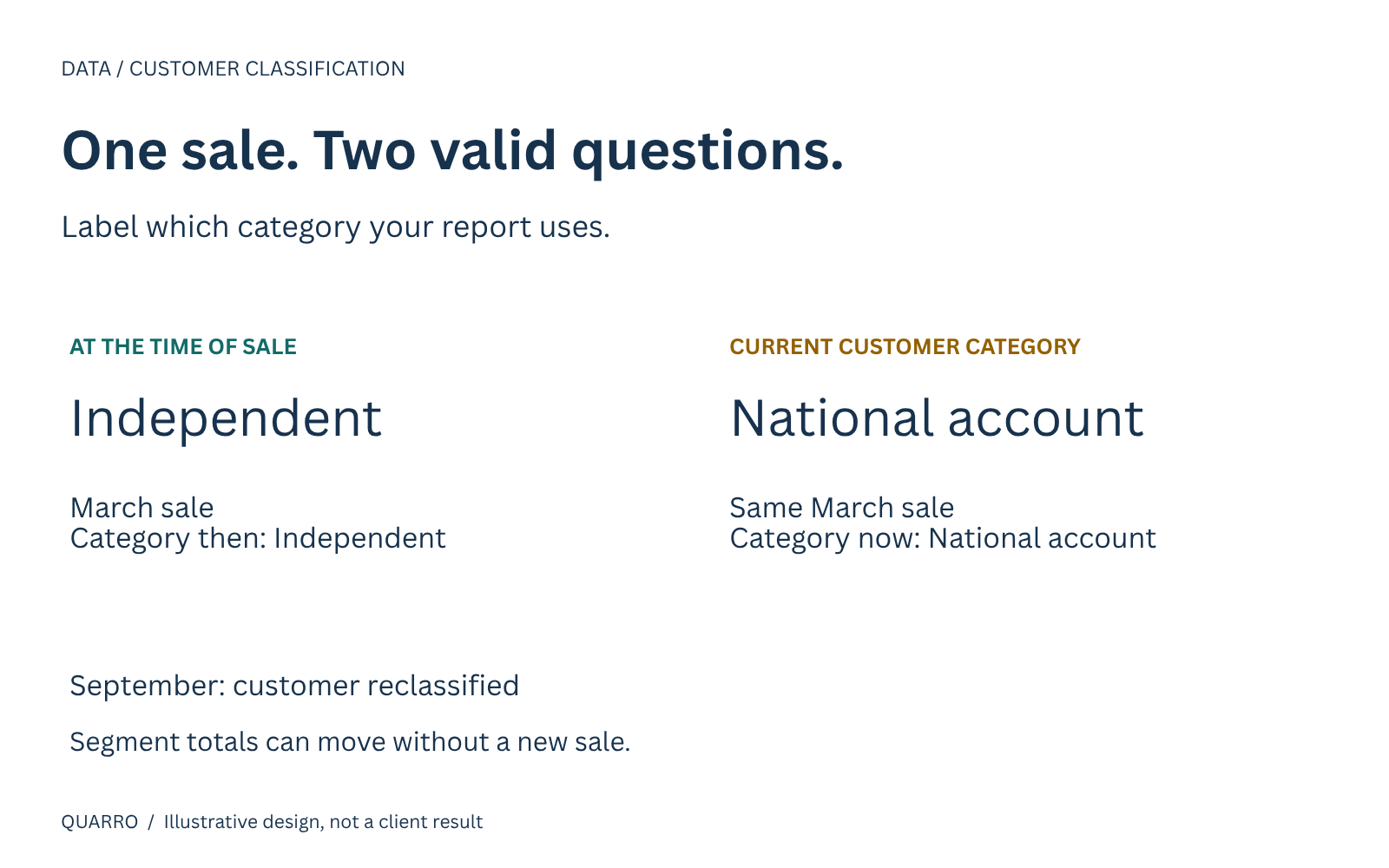
The classification question
Last year's sales total has not changed, but last year's customer-segment chart has. A distributor moved a customer from “Independent” to “National account,” refreshed its dashboard and watched revenue move between historical categories.
That can be correct or incorrect. The answer depends on what the chart promises to show.
A report of sales by today's customer grouping answers a different question from a report of sales by the customer's grouping when the sale occurred. If those questions share an unlabeled chart, a routine customer update can look like a change in business performance.
Two useful questions, two different views
Take an illustrative customer, Alder Supply. It was classified as Independent when it placed an order in March. In September, the distributor changed its classification to National account. This example is fictional; it does not represent a Quarro customer or measured result.
For an account-planning meeting, the manager may want all of Alder's history grouped under its current category. That helps the current account team understand the customers now in its portfolio.
For a historical segment review, the manager may want March's sale to remain under Independent. That preserves the classification used when the business occurred.
Neither view needs to change the amount or date of the sale. The difference is which customer-category record the report uses. The first design decision is therefore a sentence, not a chart type: “This report groups sales using ___.”
What overwriting a category loses
A simple customer table often keeps one row per customer and the latest category. A historical sales report can join each old sale to that row. After a category edit, old sales inherit the new category.
Microsoft's Power BI modeling guidance distinguishes overwriting values, commonly called Type 1, from preserving versions, called Type 2. Versioned records can carry validity periods and distinct keys, allowing historical facts to refer to the appropriate version. Microsoft also explains that missing source history needs to be captured by an intermediate process; a current-state refresh does not reconstruct that history. Microsoft star-schema guidance.
The business implication is straightforward: decide which history matters before the source overwrites it. A later dashboard cannot reliably guess a category that was never retained.
Make the choice visible to readers
For this distributor, a proposed report design would expose two separate views:
- Sales by category at sale: Uses the category applicable to the chosen sale date.
- Sales by current customer category: Uses the latest approved grouping for the same underlying sales.
Use explicit labels in the page title, filter description and exported file. Avoid a switch labeled only “historical,” which might mean old transactions, old classifications or a prior report snapshot.
The date rule also needs a business owner. Does “at sale” mean order acceptance, shipment or invoice date? Different teams may have legitimate reasons to choose different events. Document the choice rather than allowing the available database column to make it accidentally.
Separate a real change from a correction
A customer can genuinely change category. A user can also discover that the earlier category was a mistake. Those situations should not be hidden behind an identical edit button.
A practical review form could ask whether the update is a new classification or a correction, its effective date, its reason and the person approving it. That does not dictate an accounting policy. It records the business decision that the reporting process must apply.
For corrections, decide whether prior reports will be restated and how readers will learn that a restatement occurred. For ordinary changes, preserve the previous version. In both cases, retain enough evidence to explain why a historical segment total moved.
Validate with a customer, not only a grand total
A grand total can reconcile even while every sale is allocated to the wrong segment. Test the classification behavior directly using a few permitted examples: a customer with no change, one with a mid-period change, one with a correction and one with missing historical information.
For each, write the expected category in both views before inspecting the dashboard. Confirm that the same sale is not counted twice when category-validity ranges meet or overlap. Keep an explicit unknown classification where the source cannot support an answer; do not silently assign today's category and label it historical.
A bounded improvement
Start with one decision-making report and one category field. Map where that category is edited, whether past values already exist and who owns the definition. A small reporting project can then add the appropriate history capture, labels and test cases without rebuilding every dashboard.
Preserving versions adds storage, rules and maintenance. Not every descriptive customer field needs that treatment. Use it where the business genuinely needs to distinguish past meaning from current meaning.
The goal is not to stop categories changing. It is to make a change explainable, so a segment movement is not mistaken for new revenue, lost demand or a sales team's performance.